
OpenClaw vs ChatGPT: Why Everyone’s Switching (And Why You Might Not Want To)
The honest breakdown of capabilities, tradeoffs, and who should actually make the switch

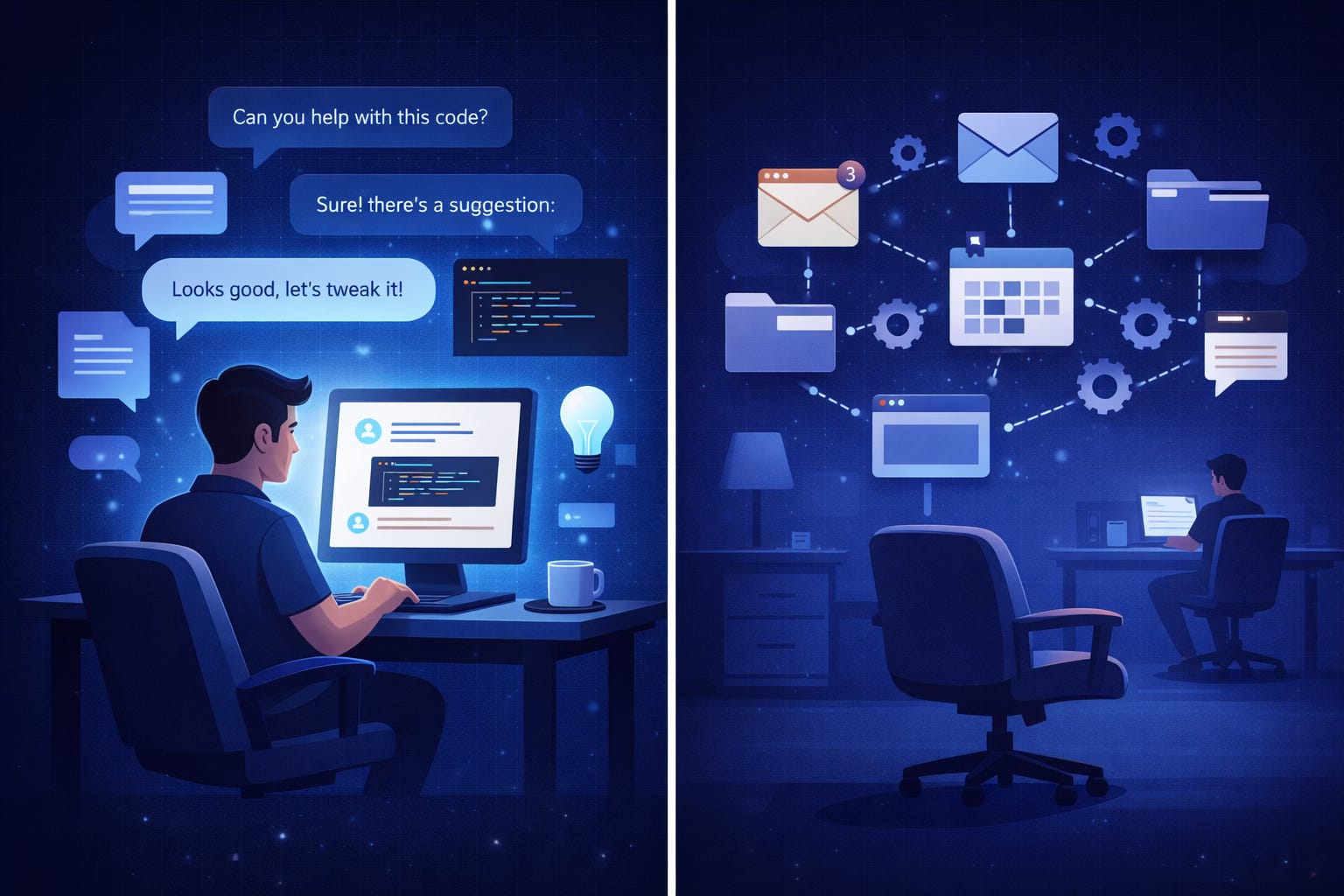
The AI agent space is having a moment.
Over the past three weeks, my feed has been flooded with screenshots of OpenClaw doing things that sound impossible. Autonomously managing email inboxes. Coordinating calendar schedules across time zones. Running shell commands to deploy code. All triggered from a casual WhatsApp message.
The hype is real. The demos are impressive. And yes, a lot of people are switching from ChatGPT to OpenClaw for their daily workflows.
But here’s what nobody’s talking about: switching isn’t always the right move.
I’ve spent the last month testing both systems side-by-side. I’ve built agents. I’ve configured workflows. I’ve run the same tasks through both platforms to see where each one actually wins.
And the truth is more nuanced than the viral tweets suggest.
ChatGPT still dominates in specific scenarios. OpenClaw unlocks capabilities that were genuinely impossible before. And the decision between them depends entirely on what kind of leverage you’re trying to build.
This isn’t a hit piece on either platform. It’s an honest breakdown of what each tool does better, where the tradeoffs live, and how to think about which one actually fits your workflow.
Let’s start with the elephant in the room.
What ChatGPT Still Does Better (And Why That Matters)
ChatGPT is frictionless.
You open a tab. You type a question. You get an answer. No setup. No configuration. No thinking about architecture or deployment or API costs.
For pure conversational intelligence — the kind where you’re iterating on ideas, refining drafts, or exploring concepts — ChatGPT remains unmatched in its immediacy.
The interface is optimized for thinking.
Canvas mode lets you iterate on documents in real-time. The conversation flow is clean. The context window is massive. You can throw entire codebases at it and get coherent analysis back.
When I’m writing and need a thought partner, I still reach for ChatGPT first. When I’m debugging code and need to talk through logic, same thing. The tool is designed for synchronous collaboration with a human in the loop.
ChatGPT’s memory is getting better.
The platform now remembers context across conversations. It learns your preferences. It recalls previous projects. The personalization isn’t as deep as what OpenClaw enables (we’ll get to that), but for most casual use cases, it’s entirely sufficient.
And here’s the critical part: ChatGPT doesn’t require delegation skills.
You don’t need to know how to structure a task for an autonomous agent. You don’t need to think about error handling or edge cases or what happens when the agent encounters something unexpected.
You just... ask. And it responds.
For people who want AI assistance without becoming AI orchestrators, that simplicity is a feature, not a bug.
The ecosystem is mature.
Plugins. Integrations. GPTs. Custom instructions. The ChatGPT ecosystem has been battle-tested by millions of users. The workflows are documented. The failure modes are known.
When something breaks, there’s a Stack Overflow thread about it. When you need a specific capability, there’s probably a GPT for it. The community support is incomparable.
So why is anyone switching at all?
Because there’s a fundamental difference in what these tools are built to do.
ChatGPT is a conversational partner. OpenClaw is an autonomous agent platform.
And the moment you need something to happen without you — while you’re asleep, while you’re in meetings, while you’re focused on other work — that distinction becomes everything.
What OpenClaw Actually Unlocks
Let me show you something ChatGPT fundamentally cannot do.
Last Tuesday at 3 AM, while I was asleep, an OpenClaw agent:
Monitored my inbox for a specific type of vendor outreach
Cross-referenced sender domains against a list of pre-approved companies
Extracted key details (pricing, timeline, scope)
Added the information to a Google Sheet with proper formatting
Sent me a summary on Telegram with action items ranked by priority
I woke up to a decision-ready brief. No manual filtering. No context switching. No “let me check my email and get back to you.”
ChatGPT can’t do this. Not because it lacks intelligence, but because it’s not designed for autonomous operation. It requires you in the loop. It’s reactive, not proactive.
OpenClaw, by contrast, is built for delegation.
Here’s what that actually means in practice:
Email and calendar management that runs continuously.
Not “summarize my inbox when I ask.” But “monitor my inbox 24/7, categorize everything, draft responses to specific types of messages, flag urgent items, and keep me focused on what matters.”
You configure the rules once. The agent executes forever.
Web browsing that doesn’t wait for you.
An OpenClaw agent can open a browser, navigate to a competitor’s pricing page, screenshot the changes, compare against last week’s version, and alert you if anything significant shifted.
While you’re building product, your agent is doing market research.
Shell command execution for real automation.
Need to deploy code? Run a backup? Trigger a data pipeline? OpenClaw can execute shell commands based on conditions you define.
This isn’t “help me write a bash script.” This is “run this script when X happens, and notify me if it fails.”
File organization that actually works.
Download a PDF. OpenClaw renames it based on content, files it in the correct folder, extracts key data points, and updates your records.
No manual filing. No “I’ll organize this later.” No lost documents.
And here’s where it gets interesting: multi-tool orchestration.
OpenClaw can chain actions across different tools in a single workflow. Read an email, extract a date, check your calendar, find an open slot, draft a response with suggested times, and wait for your approval before sending.
ChatGPT can help you think through that workflow. OpenClaw can execute it.
But the real unlock isn’t the tools. It’s the personalization layer.
The Markdown Files That Change Everything
This is where OpenClaw separates itself from every other AI assistant I’ve tested.
Most platforms let you customize behavior through settings or prompts. OpenClaw lets you build a persistent identity and knowledge base using simple markdown files.
No code. No complex integrations. Just text files.
Here’s the system:
soul.md — Your assistant’s personality and operating style
This file defines how your agent communicates and makes decisions.
markdown
# Personality
- Direct and concise
- Proactive without being presumptuous
- Default to action over asking permission
- Use technical language when discussing dev work
- Keep personal updates casual and brief

# Decision Framework
- Prioritize time-sensitive items over routine tasks
- When uncertain, provide options rather than making assumptions
- Default to async communication for non-urgent items
Set this up properly and your agent stops asking “would you like me to...” for every single action. It learns your tolerance for autonomy.
memory.md — What it knows about you
This is your agent’s context layer. Everything it should remember without you repeating it.
markdown
# Work Context
- Role: Founder of SaaS analytics company
- Team: 3 engineers, 2 contractors
- Primary focus: Product development and customer research

# Preferences
- Prefers morning meetings (9-11 AM)
- Blocks deep work time 2-5 PM daily
- Delegates most email triage
- Values data over opinions in decision-making

# Key People
- Sarah (CTO): Technical co-founder, handles infrastructure
- Mike (advisor): Weekly check-ins on Thursdays
- Lisa (investor): Monthly updates, prefers brief written summaries
Now when an email from Mike arrives, your agent knows context. It doesn’t treat every message equally. It understands relationships and priorities.
goals.md — Current priorities and focus areas
This keeps your agent aligned with what actually matters right now.
markdown
# This Month
- Launch beta version of analytics dashboard
- Complete customer development interviews (target: 15)
- Hire senior backend engineer

# This Week
- Finalize pricing model
- Review candidates for engineering role
- Prepare investor update for Lisa

# Today
- Ship calendar integration feature
- Review PR from Sarah
- Follow up with beta users about feedback
Your agent can now filter everything through the lens of your actual goals. Irrelevant opportunities get deprioritized. Relevant intel gets flagged immediately.
agents.md — Specialized modes for different contexts
This is where you define different “versions” of your assistant for different types of work.
markdown
# Research Agent
- Deep analysis mode
- Comprehensive data gathering
- Citation and source tracking
- Synthesis into actionable summaries

# Writing Agent
- Editorial assistance
- Structure and flow optimization
- Fact-checking claims
- Tone matching to existing content

# Operations Agent
- Task triage and categorization
- Schedule optimization
- Email management and drafting
- File organization
Switch contexts without losing depth. Your research agent operates differently from your operations agent. Both have full access to your memory and goals, but different execution styles.
knowledge.md — Your personal reference library
SOPs, key documents, critical information that should always be accessible.
markdown
# Standard Operating Procedures

## Customer Outreach Response
When potential customer emails:
1. Check if company fits ICP (B2B SaaS, 50+ employees)
2. If yes: Schedule discovery call, send calendar link
3. If no: Polite decline, offer to stay in touch
4. Log interaction in CRM with tags

## Pricing Discussions
Never quote prices in initial emails.
Standard response: "Our pricing is customized based on use case.
Would you be open to a brief call to discuss your needs?"

## Competitor Intelligence
Track changes to: [List of 5 key competitors]
Alert me immediately if: Pricing changes, new feature launches, team changes
Monthly summary: Overall market movement and positioning shifts
Now your agent doesn’t just have access to tools. It has access to your way of working.
The compounding effect is remarkable.
Set these files up properly — and I’m talking 30-60 minutes of thoughtful configuration — and everything shifts.
Your agent stops asking obvious questions. It starts anticipating needs. It responds like someone who’s worked with you for months, not minutes.
This is the personalization edge. And it’s why people who invest time in configuration rarely switch back.
The Tradeoffs Nobody Mentions
But let’s be honest about what you’re taking on.
OpenClaw has a learning curve.
Not in terms of coding (you don’t need to write code), but in terms of thinking. You need to understand how to structure tasks for autonomous execution. You need to define rules and edge cases. You need to think like a systems designer, not just a user.
For some people, that’s energizing. For others, it’s friction they don’t want.
The cost structure is different.
ChatGPT Plus is $20/month, flat rate. OpenClaw runs on your infrastructure (or cloud free tiers if you’re clever), but you’re paying for:
AI model API calls (can range from negligible to significant depending on usage)
Compute resources if you’re running it beyond free tiers
Tool integrations (some require paid API access)
For light use, OpenClaw can be cheaper. For heavy autonomous operation, costs can escalate if you’re not monitoring usage.
Reliability isn’t guaranteed.
Autonomous agents fail. Sometimes spectacularly.
An email gets misclassified. A calendar invite goes to the wrong person. A file gets organized into the wrong folder.
ChatGPT’s failure mode is “it gave me a bad answer.” OpenClaw’s failure mode is “it took an action I didn’t want.”
The stakes are higher. You need monitoring. You need error handling. You need to think about what happens when things go wrong.
The ecosystem is younger.
OpenClaw doesn’t have millions of users battle-testing every edge case. Documentation is growing but incomplete. Community support exists but isn’t as deep as ChatGPT’s.
When something breaks, you’re more likely to be debugging it yourself.
And here’s the big one: delegation is a skill.
Most people are bad at delegating to humans. Delegating to AI agents requires the same clarity of thought — maybe more.
You need to articulate what success looks like. You need to define decision boundaries. You need to communicate context that feels obvious to you but isn’t obvious to an agent.
If you struggle to delegate to people, you’ll struggle to delegate to OpenClaw.
Who Should Switch (And Who Shouldn’t)
After a month of testing, here’s how I think about the decision.
Stick with ChatGPT if:
You primarily use AI for thinking, writing, and coding assistance
You want immediate value without configuration time
You prefer synchronous collaboration over autonomous operation
The idea of “agents running while you sleep” sounds more stressful than appealing
You’re not ready to think about error handling and monitoring
Your workflow is already smooth and you’re looking for incremental improvement
ChatGPT is still the best conversational AI for most people. The interface is polished. The ecosystem is mature. The experience is frictionless.
Consider OpenClaw if:
You spend hours on repetitive knowledge work (email, research, organization)
You have clear, repeatable processes that could be automated
You’re comfortable with some technical configuration (even without coding)
You value autonomous operation and parallel execution
You’re willing to invest upfront time for long-term leverage
You understand that agents require oversight and iteration
You’re building a business or managing complex workflows
OpenClaw is for people who want to delegate, not just assist.
The hybrid approach:
Here’s what I actually do.
ChatGPT remains my thinking partner. When I’m writing, brainstorming, or working through complex problems, that’s where I go.
OpenClaw handles operational work. Email triage. Research monitoring. File organization. The repetitive tasks that drain energy but don’t require creative thinking.
I’m not “switching.” I’m using the right tool for the right job.
The decision framework:
Ask yourself: What would 10 more hours a week let me build?
If the answer is “not much” — if your constraint isn’t time but direction, or skill, or market fit — then stick with ChatGPT. The friction of OpenClaw won’t be worth it.
But if your answer is “everything” — if you have a clear vision and you’re just drowning in execution — then OpenClaw might be the leverage you’ve been looking for.
Just know what you’re signing up for.
For a deeper exploration,
and gain immediate access to comprehensive insights as soon as they become available.
The honest truth?
Both tools are remarkable. Both have legitimate use cases. And the viral narrative of “everyone’s switching” misses the point entirely.
You’re not choosing between good and bad. You’re choosing between assistance and autonomy.
Pick the one that matches how you actually work.